Add to home screen
Works on modern iOS and Android browsers. One tap from Safari or Chrome — no sideloading, no MDM project required for a demo or go-live.

MDT Mobile data terminal for field teams
CritiCall Ops MDT is a browser-based mobile app for officers, medics, and patrol staff — not a separate handset contract. New jobs pop full-screen until someone taps Responding. Status updates and messages stay on the same references as the CAD desk, and changes queue offline when signal drops.
Provisioned field teams log in at respond.criticallops.co.uk. New organisations explore the live demo first; paid contract before accounts are issued.
Field teams open the MDT URL on their phone or tablet, then add it to the home screen. It runs full-screen like a native app — ideal for shared devices on patrol, festival medical, and security rosters.
Works on modern iOS and Android browsers. One tap from Safari or Chrome — no sideloading, no MDM project required for a demo or go-live.
Launches edge-to-edge so officers are not fighting browser chrome in the rain at 2 a.m.
Daily call references, priority, location, and assignee match what controllers see — no radio guesswork about which job is which.
Built for the moment the job lands
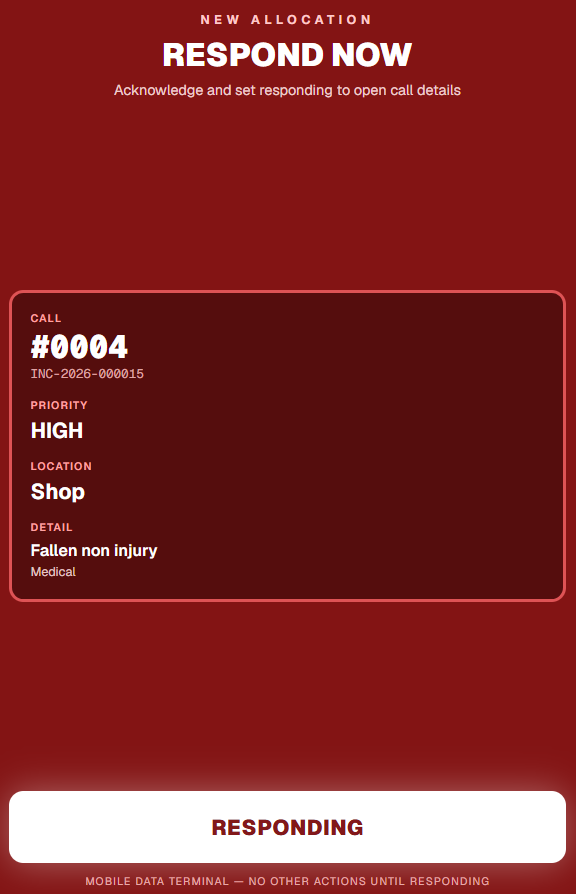
When control assigns a resource, the MDT takes over the screen with a Respond now overlay — reference, priority, location, and a single Responding action. Nothing else competes for attention until the officer confirms.
New allocation blocks the UI until tapped — not a tiny banner lost in notifications.
Critical jobs show red; location and notes are visible before the officer moves.
Threaded updates with control — same incident, same record of who did what as the desk.
En route, on scene, clear — without menu-diving through twelve screens.
Festivals, lower-ground floors, and rural patrols do not wait for perfect 5G. The MDT queues status updates and messages locally, then syncs when connectivity returns.
Officers keep updating jobs even when the connection wobbles or drops entirely.
Pending changes replay in order — controllers see the full picture without manual reconciliation.
CAD assumes a solid link; the MDT is built for when it does not — car parks, fields, and tunnels.
MDT is not open to the public. Access is tied to your organisation's CritiCall Ops tenant — the same manual licence model as CAD.
Start with a live demo — shopping centre weekend, festival medical, patrol roster, or control-room desk. We include CAD and MDT in the same platform.
Dispatch login is for control-room staff and company administrators. Responder access is issued after onboarding — contact us to start a live demo.